Centime with AI
AI-Powered Invoice Capture
Extract Invoice Data in Seconds—No Templates, No Manual Entry
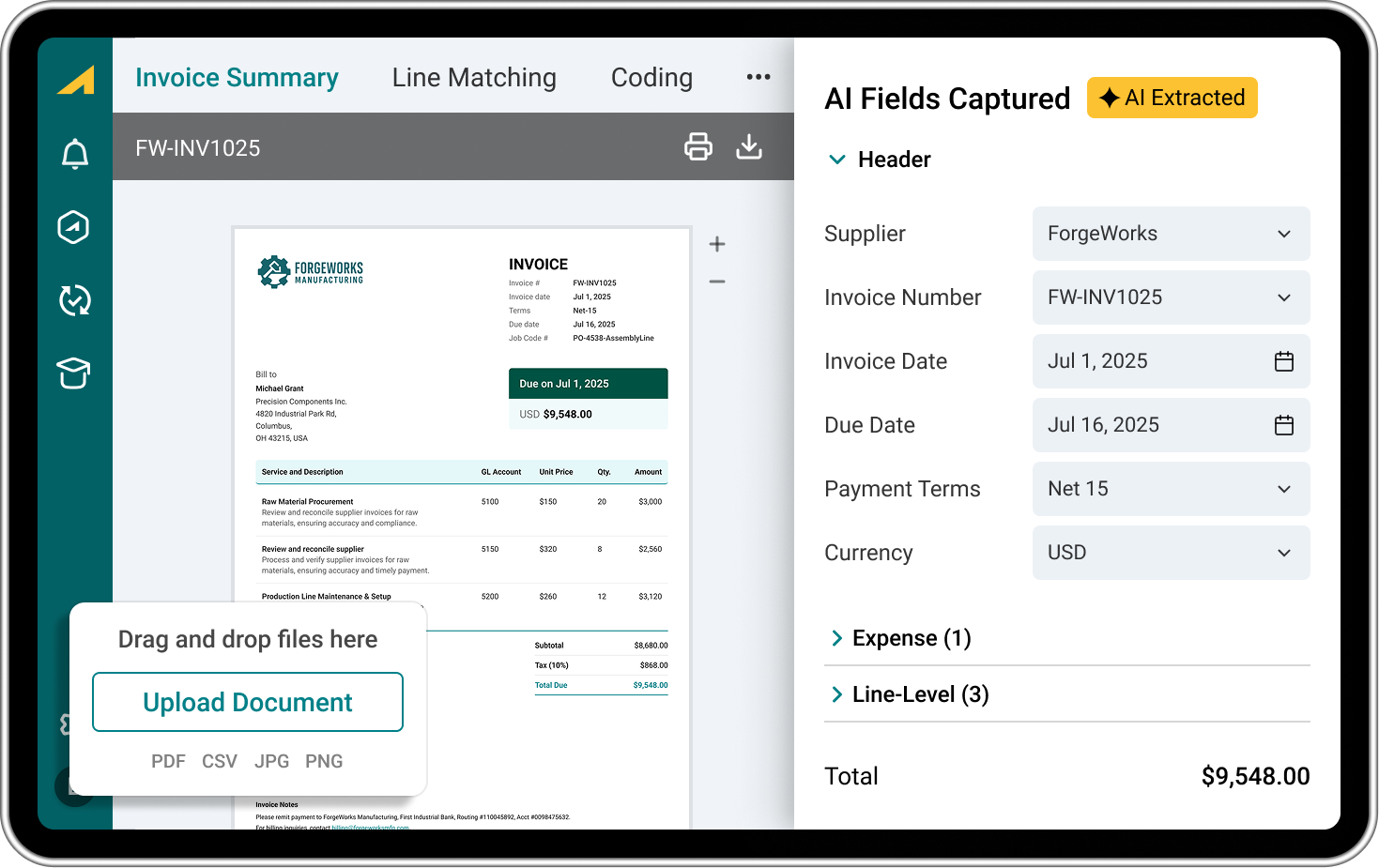
Centime’s invoice OCR software uses advanced OCR invoice processing to accurately capture header and line‑level invoice data in real time, with no templates or rules to configure. Upload invoices in any format via email or drag‑and‑drop, and watch as vendor names, amounts, dates, and line items flow straight into your ERP, enabling automated invoice data extraction and eliminating manual entry across your AP workflow.
"A standout feature [in Centime] is its time-saving invoice entry and capture capabilities through AI automation, particularly with invoice coding and PO matching, streamlining tasks that typically consume significant time, enhancing efficiency and accuracy in managing AP workflows."





Fully
embedded in:
embedded in:


Why Finance Teams Choose Centime Invoice Capture
Real-Time AI Extraction
Gen AI captures header and line-level data the moment invoices arrive—no waiting for batch processing or offshore review queues.
No Templates Required
Unlike legacy OCR tools that require pre‑built templates for each vendor, Centime’s optical character recognition for AP understands invoice structure automatically and adapts to any format.
Learns and Improves
The system learns from every invoice processed—improving accuracy over time for supplier matching, GL coding predictions, and field recognition.
Native ERP Integration
Fully embedded in NetSuite, Sage Intacct, and QuickBooks with real-time sync—extracted data flows directly to your GL without export/import hassles.
Complete Line-Item Detail
Capture full line-level data including descriptions, quantities, rates, and amounts—not just header totals like basic OCR solutions.

Gen AI Invoice Capture
Intelligent data extraction that understands invoices like a human.
Centime uses a best‑in‑class Gen AI model, not basic OCR, to power automated invoice data extraction from printed or handwritten invoices. The system processes invoices in seconds and recognises invoice structure contextually.
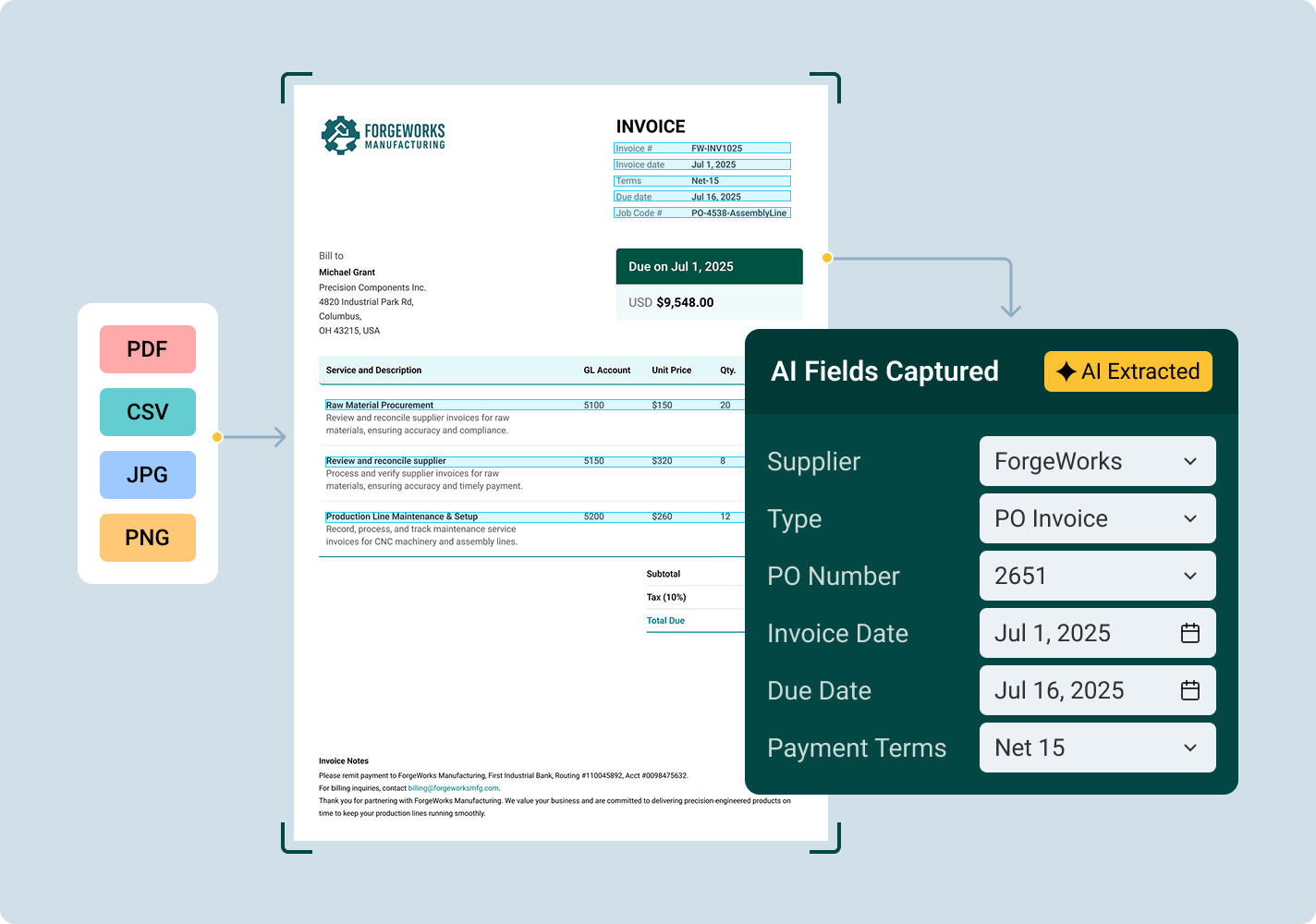
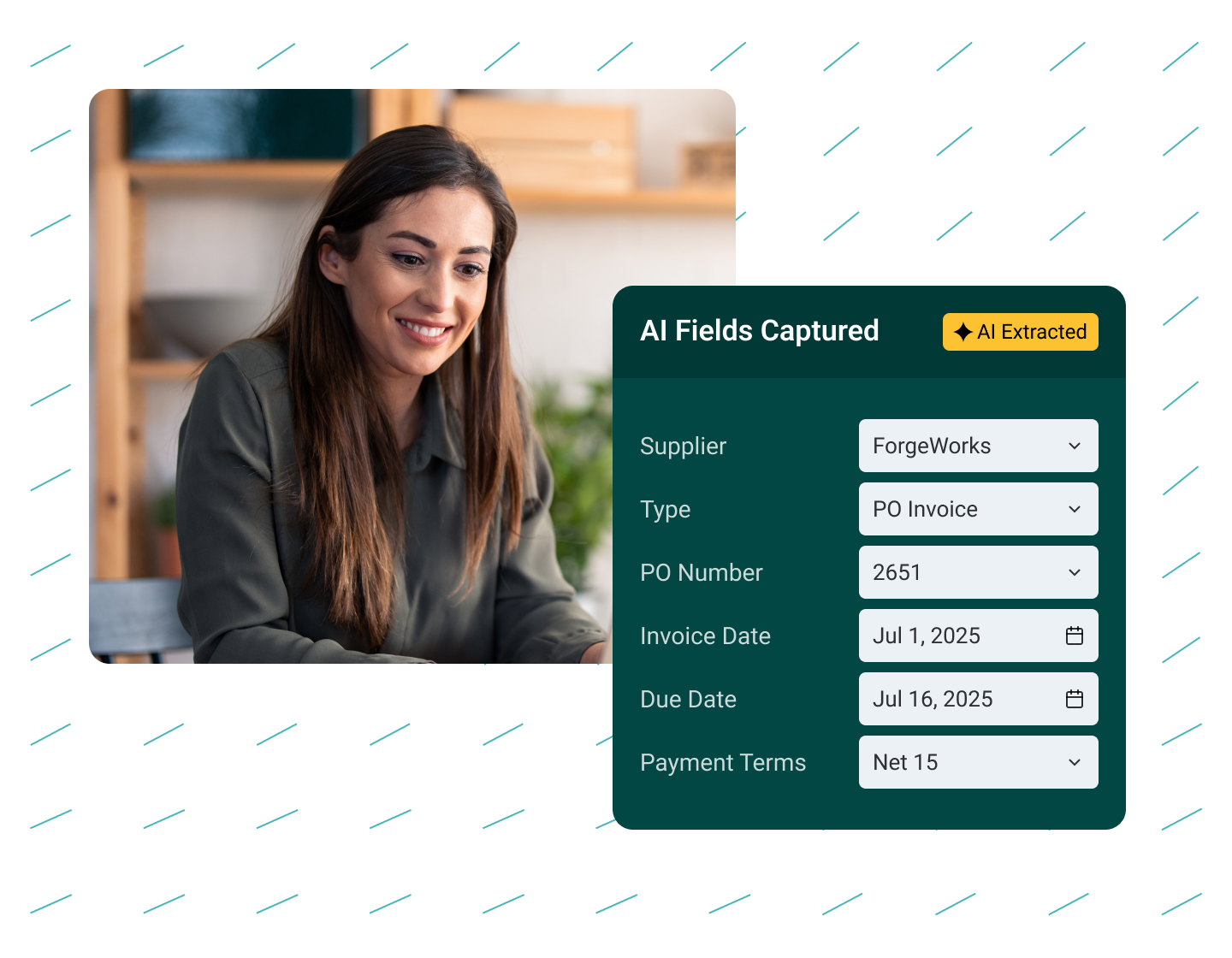
Captured fields include supplier names, invoice numbers, dates, due dates, payment terms, currency, and complete line‑item details including quantities, rates (up to six decimal places), and amounts. Supported formats include PDF, CSV, JPEG, and PNG.
Captured fields include supplier names, invoice numbers, dates, due dates, payment terms, currency, and complete line‑item details including quantities, rates (up to six decimal places), and amounts. Supported formats include PDF, CSV, JPEG, and PNG.

Header & Line-Level Capture
Centime captures the full picture with comprehensive OCR invoice processing:
Centime captures the full picture with comprehensive data extraction:
- Header Fields Captured: Supplier name, invoice number, invoice date, due date, currency, payment terms
- Expense Fields Captured: Line description, amount
- Line Item Fields Captured: Line description, quantity, rate (up to 6 decimal places), amount (calculated from quantity × rate)
If quantity or rate is missing on the original invoice, Centime intelligently calculates the missing value.
Automatic Supplier Matching
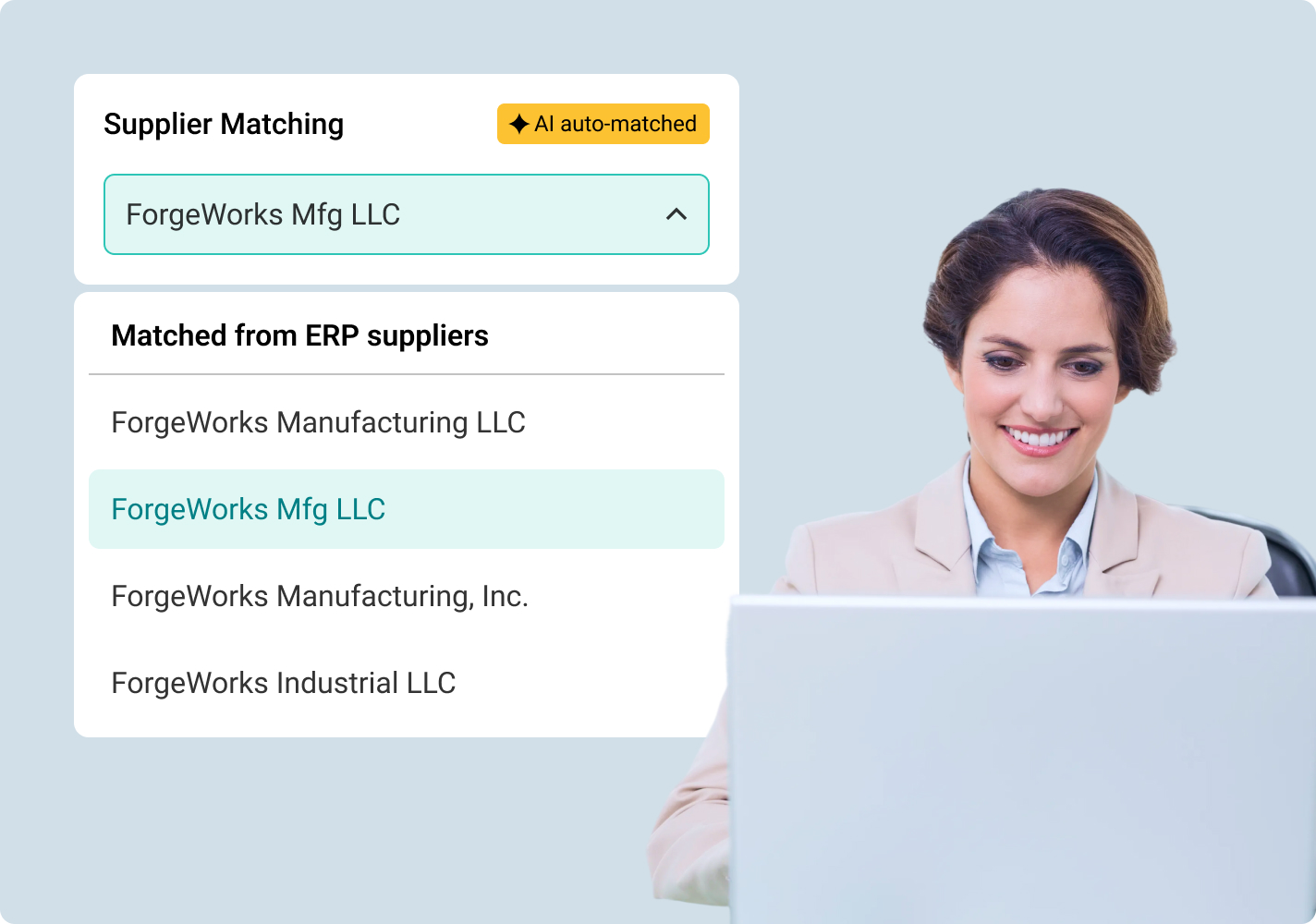
Stop manually selecting vendors for every invoice.
Centime automatically matches the supplier name from the captured document with a supplier in your GL. If names differ slightly, the system learns the association the first time you make a manual selection—and remembers it for all future invoices from that vendor.
Two Capture Modes
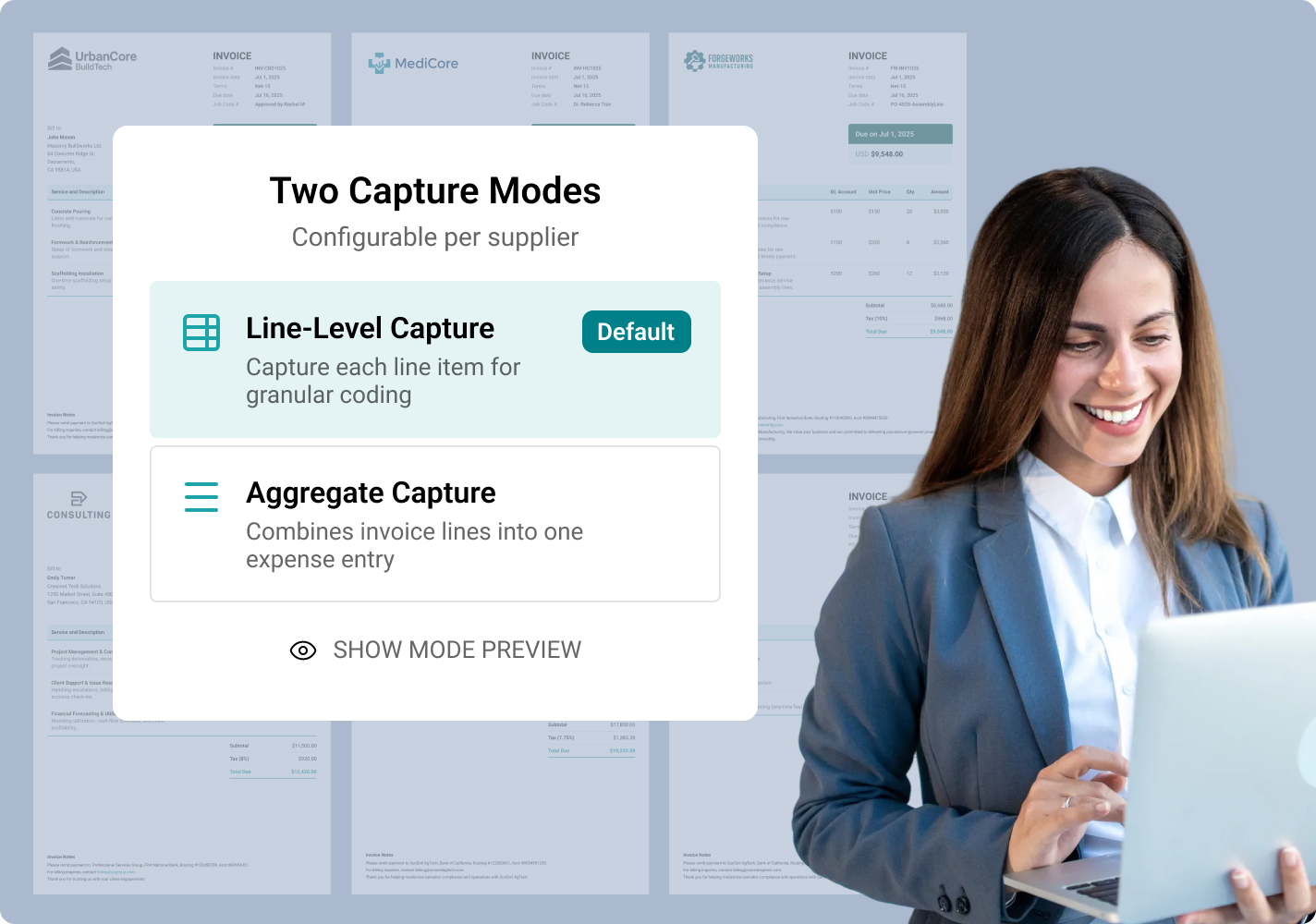
Choose line-level detail or aggregate totals based on your needs.
Centime offers flexible capture options configurable per supplier:
- Line-Level Capture (Default): Captures each individual line including quantities and costs. Invoice lines can be coded individually for granular expense tracking.
- Aggregate Capture: Combines all invoice lines into one expense line for simpler coding—ideal for vendors where line-item detail isn't needed.
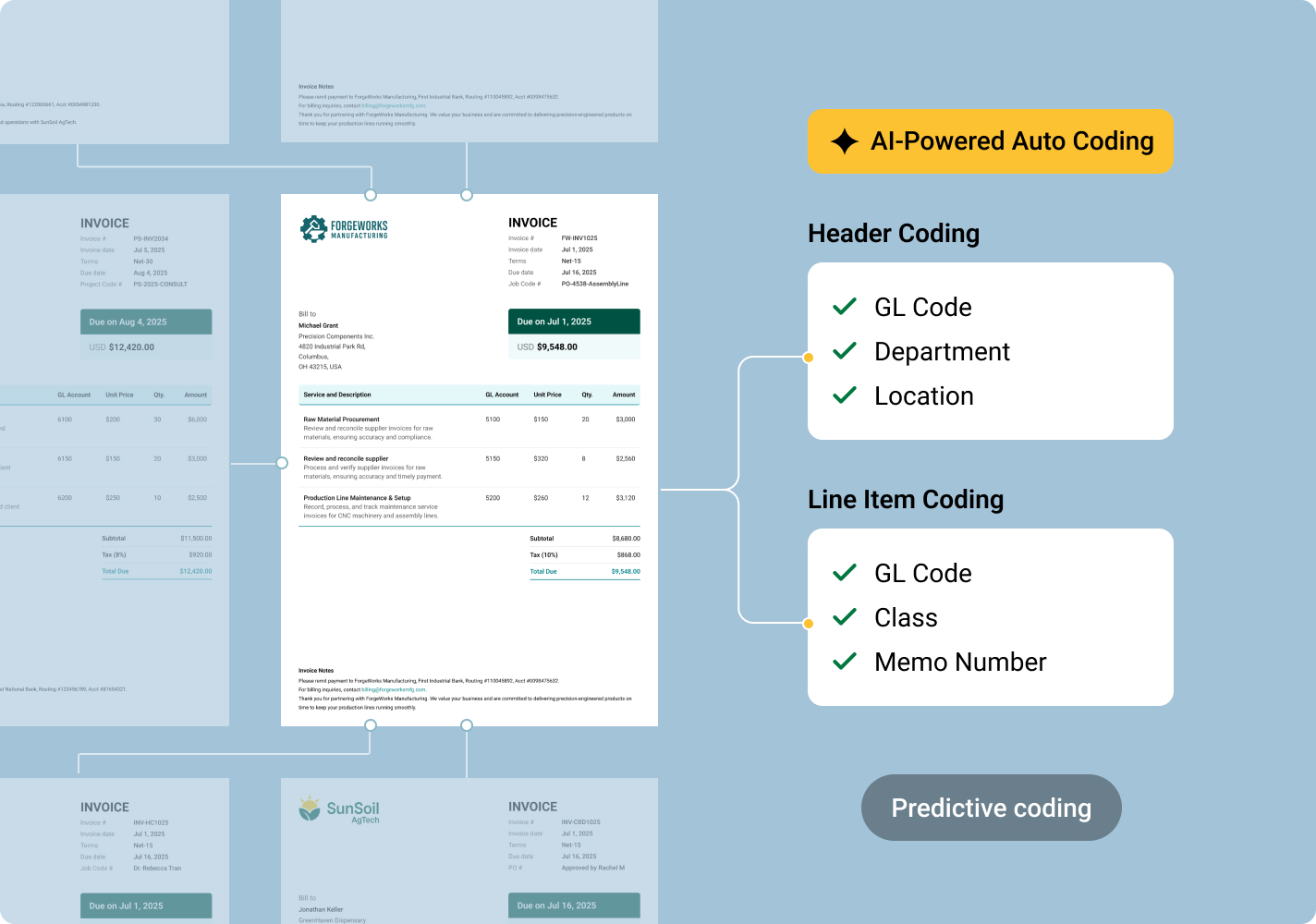
AI-Powered Auto Coding
Let AI predict GL codes based on your history.
Centime's Rapid Coding system learns from every invoice you process. It predicts header and line-level GL coding based on similar invoices previously processed—including custom fields specific to your business. The more invoices you process, the smarter it gets.
Flexible Invoice Workflow
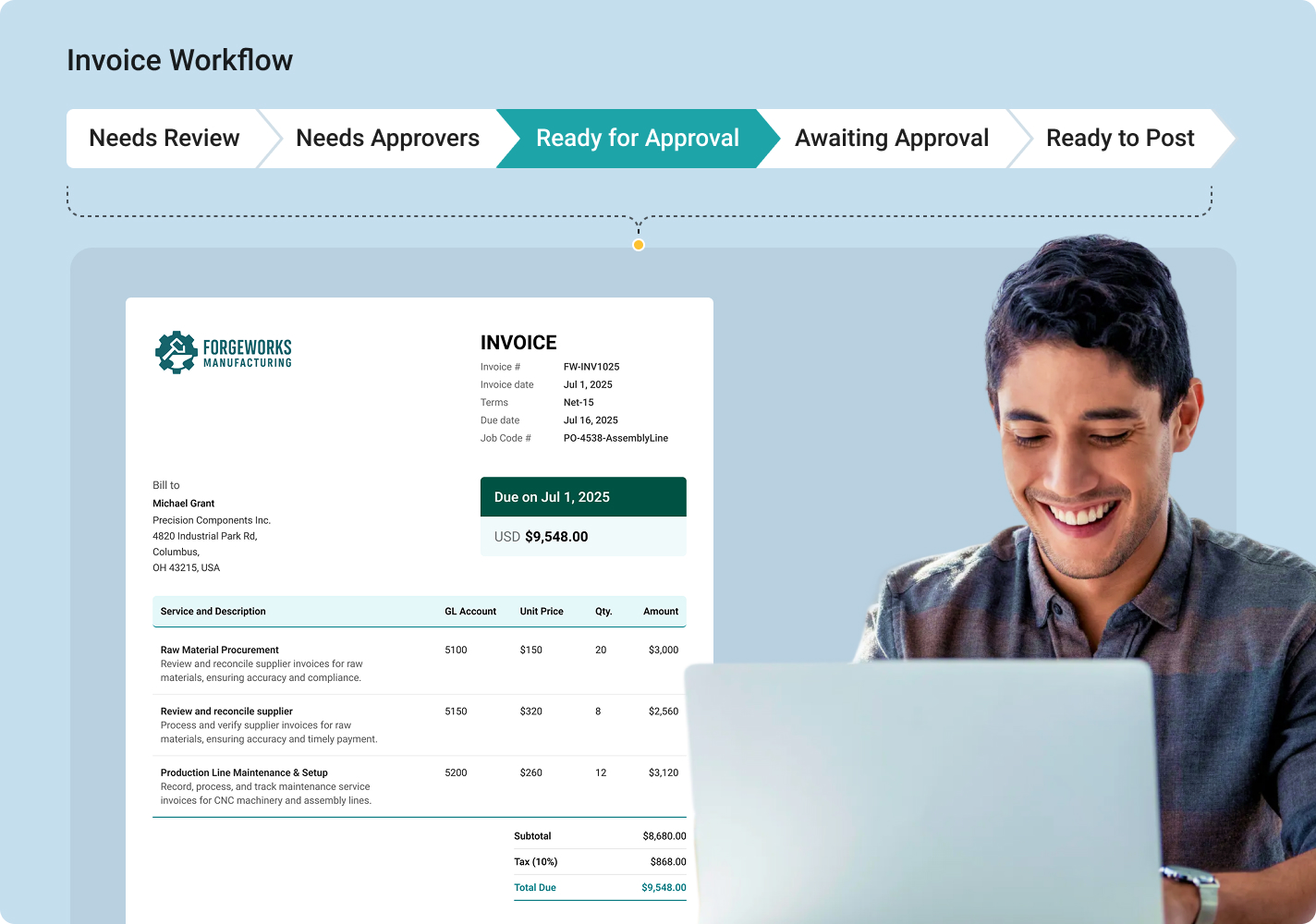
From capture to approval to posting—all in one place.
Once captured, invoices flow through a clear status workflow: Needs Review → Needs Approvers → Ready for Approval → Awaiting Approval → Ready to Post. Users can rearrange expense and item lines via drag-and-drop, navigate between invoices with quick navigation tools, and complete coding with bulk edits and keyboard shortcuts—even for long, complex invoices.
Centime Invoice Capture vs. Other OCR Tools

Other OCR Tools
AI Technology
Gen AI model that understands any invoice format without templates
Template-based OCR that requires configuration per vendor
Line-Level Capture
Complete line-level extraction: description, quantity, rate, amount
Header only or basic totals; line items require manual entry
Learning Capability
Learns from every invoice to improve supplier matching and GL coding
Static rules that don't improve over time
Processing Speed
Real-time extraction the moment invoices arrive
Batch processing or 24-hour offshore review queues
Handwritten Invoices
Gen AI captures handwritten and printed invoices
Cannot interpret handwritten text
Supplier Matching
Automatic matching with learned vendor associations
Manual vendor selection for every invoice
ERP Integration
Sync-based; requires export/import or manual entry
Auto Coding
AI predicts header and line-level GL codes from history
No coding prediction; manual GL assignment
File Formats
PDF, CSV, JPEG, PNG supported
Limited format support
Rate Precision
Captures rates up to 6 decimal places
Rounds or truncates decimal values
Multi-Page Invoices
Full multi-page invoice support with complete line-item extraction
Page limits or per-page fees
Implementation Time
7-21 days with dedicated onboarding specialists
60-90+ days with template configuration
Calculated Fields
Intelligently calculates missing quantity or rate values
Requires all values present on invoice
Security
SOC 2 certified; encrypted in transit and at rest
Basic encryption
Built for Modern Finance Teams
Centime Invoice Capture (OCR) is part of the broader Centime ecosystem—unifying AP, AR, treasury, and banking into one platform. Every invoice you capture flows seamlessly into approval workflows, payment processing, cash forecasting, and your ERP.

What Centime Users Say
“A standout Centime feature is its time-saving invoice entry and capture capabilities through AI automation, particularly with invoice coding and PO matching…”


Industry
Food & Beverage
Employees
201-500
What Centime Users Say
“We switched from Bill.com and saved over 20 hours per week. We were impressed with how Centime's tailored approach overcame the unique challenges in our accounts payable setup.”

Industry
Commercial Real Estate
Employees
51-200
What Centime Users Say
“We went from a manual AR/AP process to fully automated through Centime in very little time. We've cut the time of outstanding invoices down dramatically. The support team has also been very attentive to our needs.”


Industry
IT & Services
Employees
51-200
What Centime Users Say
“Prior to using Centime we were 100% manual on entering and approving all invoices. Centime is a fantastic AP automation tool that streamlined our invoice processing and payment workflows.”
Industry
Entertainment
Employees
51-1000
Centime AI
Ready to Eliminate Manual Invoice Entry?
Frequently Asked Questions
What is AI-powered invoice capture, and how is it different from traditional OCR?
Traditional OCR converts images to text but requires pre-configured templates for each invoice format and struggles with variations. Centime's Gen AI model understands invoice structure contextually—recognizing fields, line items, and relationships without templates. It adapts to any format automatically and improves accuracy over time by learning from your corrections.
What data does Centime extract from invoices?
Centime extracts both header-level and line-level data. Headers include: supplier name, invoice number, invoice date, due date, currency, and payment terms. Line items include: description, quantity, rate (up to 6 decimal places), and amount. The system also automatically calculates missing values when possible.
What file formats are supported?
Centime currently supports PDF, CSV, JPEG, and PNG file formats. Invoices can be uploaded manually, dragged-and-dropped, or emailed directly to your Centime inbox.
How does Centime handle supplier matching?
The system automatically attempts to match the supplier name on the invoice with a vendor in your GL. If names differ (e.g., "ABC Corp" vs. "ABC Corporation"), you select the correct vendor once, and Centime remembers the association for all future invoices from that supplier.
Can Centime capture multi-page invoices with many line items?
Yes. Centime extracts full line-item detail from multi-page invoices without page limits. You can choose between line-level capture (default) for individual line coding, or aggregate capture to combine all lines into a single expense entry.
How does the auto coding feature work?
Centime's Rapid Coding AI predicts GL codes at both header and line levels based on similar invoices you've previously processed. The system learns your coding patterns over time, including custom fields specific to your business. The more invoices you process, the more accurate predictions become.
What security measures protect my invoice data?
Centime is SOC 2 certified, meeting strict criteria for security, availability, processing integrity, confidentiality, and privacy. All data is encrypted both in transit and at rest using bank-level encryption standards.
How does Centime integrate with my ERP?
Centime is fully embedded in NetSuite, Sage Intacct, and QuickBooks—not bolted on. Extracted invoice data syncs to your ERP in real time, maintaining data consistency and eliminating manual export/import processes. Invoice numbers respect ERP character limits (21 for QuickBooks Online, 20 for QuickBooks Desktop, 45 for NetSuite).
Try it free
See Centime in action
Our innovative AR, AP and business banking solutions are powerful alone, and even better together.
Schedule a tailored demo with a Centime expert.
Schedule a tailored demo with a Centime expert.


Solutions


Features
Pricing
Integrations
Resources
Software Solutions
Company
Industries
Compare
Guides
**Deposit placement through ICS is subject to the terms, conditions, and disclosures in the applicable agreements. Although deposits are placed in increments that do not exceed the FDIC standard maximum deposit insurance amount (“SMDIA”) at any one destination bank, a depositor’s balances at the institution that places deposits may exceed the SMDIA (e.g., before settlement for deposits or after settlement for withdrawals) or be uninsured (if the placing institution is not an insured bank). The depositor must make any necessary arrangements to protect such balances consistent with applicable law and must determine whether placement through ICS satisfies any restrictions on its deposits. A list identifying IntraFi network banks appears at https://www.intrafi.com/network-banks. The depositor may exclude banks from eligibility to receive its funds. IntraFi and ICS are registered service marks, and IntraFi Cash Service is a service mark, of IntraFi Network LLC.
††2.25% Annual Percentage Yield (APY) as of 12/23/25. Deposit rate may adjust to current market rate and may change daily. Fees may reduce earnings.
††2.25% Annual Percentage Yield (APY) as of 12/23/25. Deposit rate may adjust to current market rate and may change daily. Fees may reduce earnings.